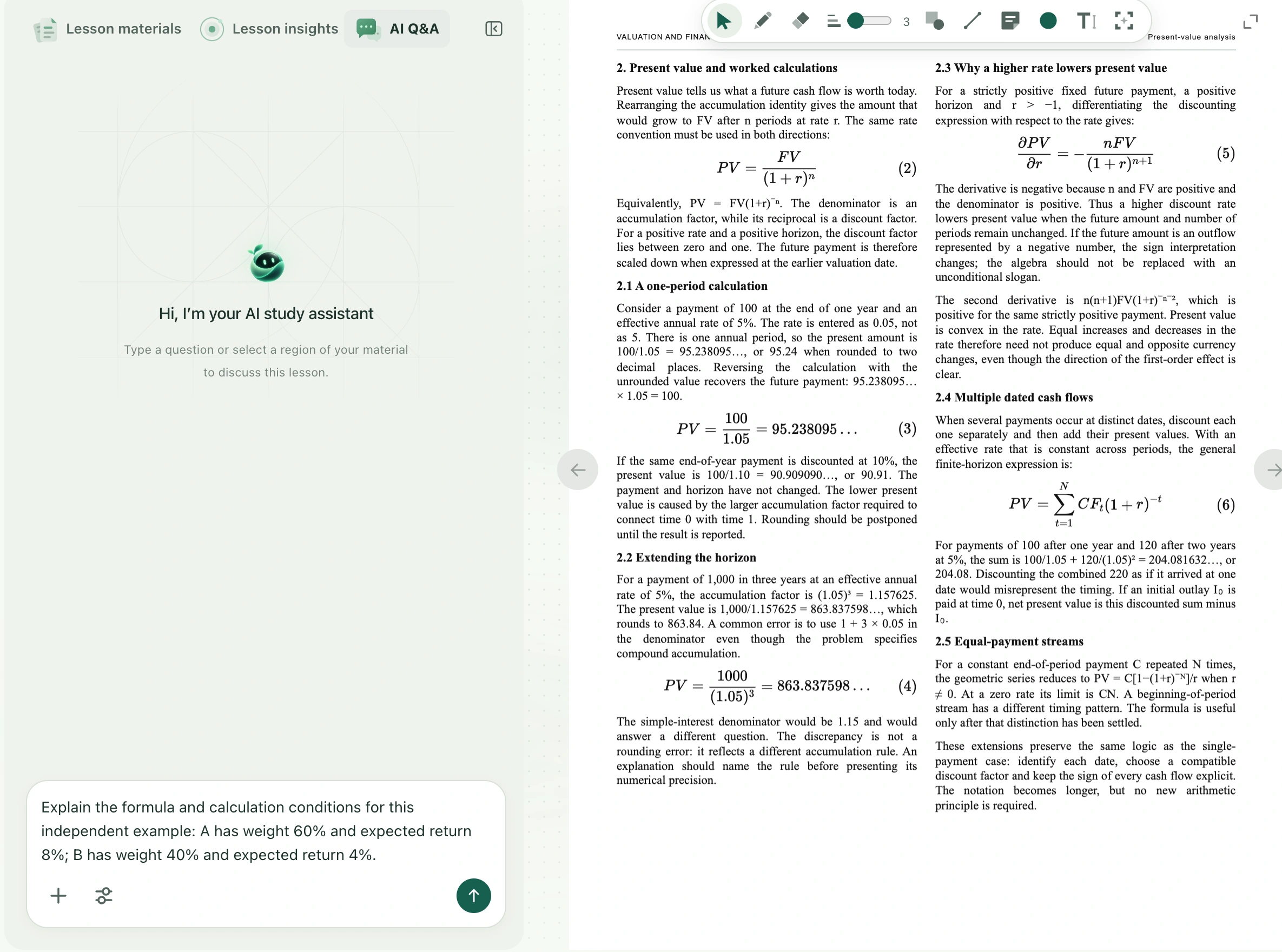
Understanding a formula usually means understanding its symbols, assumptions, and calculation together. Type a readable formula into the AI composer or select it in the courseware, then ask Sylli to explain each symbol before calculating with explicit numbers. Formula explanations use the existing AI Q&A or AI chat; they do not need a dedicated button.
Watch the walkthrough
This video is currently unavailable. Open video in a new window
Before you begin
Sign in and open your own class or saved material at the formula’s page. Check that subscripts, superscripts, denominators, summation ranges, and units are complete. Include nearby conditions when capturing it. If you only want to learn the method, say “Use the following assumptions as an example” to distinguish hypothetical numbers from data the teacher actually provided.
From symbols to calculation
- Open AI Q&A in a class or AI chat in the material reader. If the formula is hard to enter, use the courseware’s AI selection tool to supply the whole formula.
- Ask, for example: “Explain each symbol and the conditions for using this formula, then substitute the given numbers. Show the intermediate steps. Tell me what is missing if the information is insufficient.”
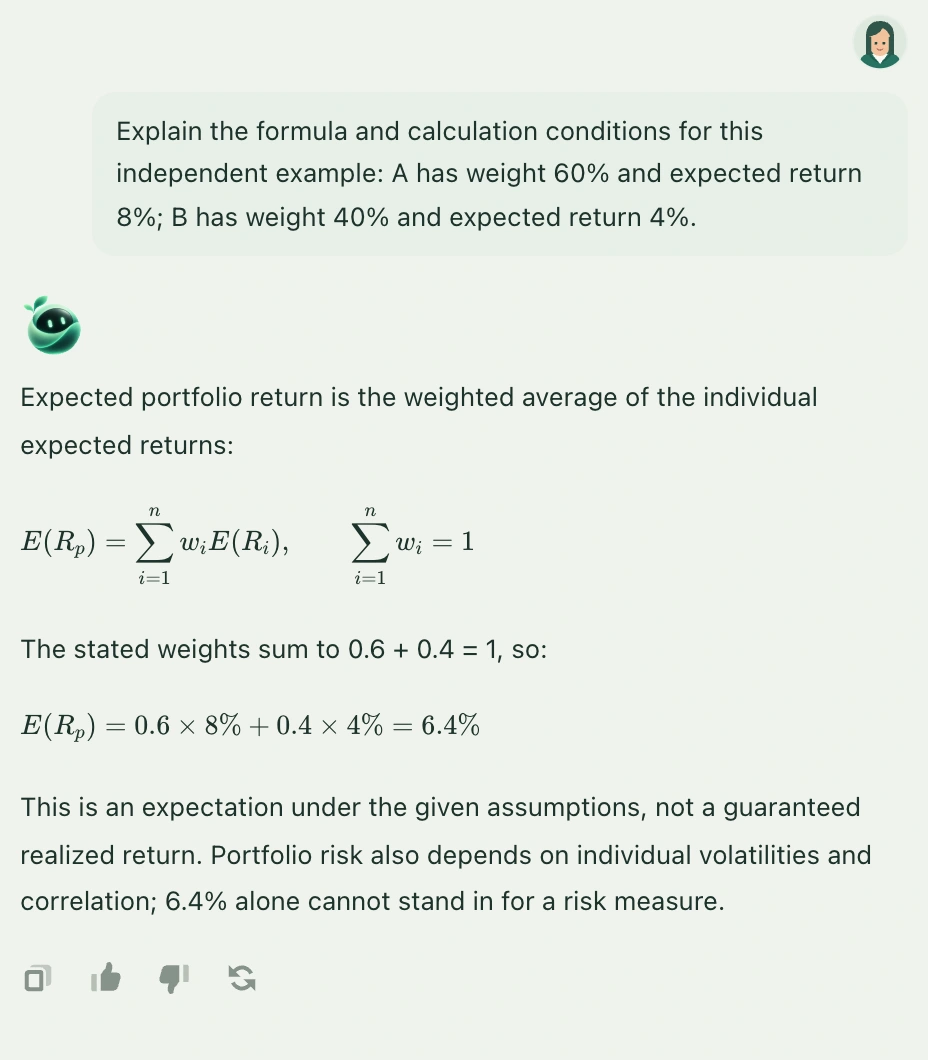
- For a portfolio expected-return example, specify asset A with a 60% weight and 8% expected return, and asset B with a 40% weight and 4% expected return. Ask for expected return, rather than realized return or risk.
- Check the answer line by line: the weights add to one, percentages are handled consistently, and the result should be 0.6 × 8% + 0.4 × 4% = 6.4%. This is an expected value under the assumptions, not a guarantee of actual returns.
- If a step remains unclear, ask why the weights are multiplied, or request only the second step in more detail. For a new example, supply new conditions and ask to use the same method.
Keep useful explanations
An answer does not automatically enter your notes or change the question or formula. Use its copy control to put useful explanations in your notes, then describe the applicable conditions in your own words. Neither material-reader chat nor classroom text chat should be treated as permanent notes. Keep what you need before refreshing or changing class. Attaching a screenshot to a question does not insert it into your notes.