
What can you do with Syllink?
Follow the lesson, understand your reading,
then organize your notes and review.
Live classroom translation.
Notes that stay with the lesson.
Revisit what the lecturer said, find the key points, or ask Sylli what a sentence means.
Keep translation, recordings and notes together, so you can focus on following the lesson.

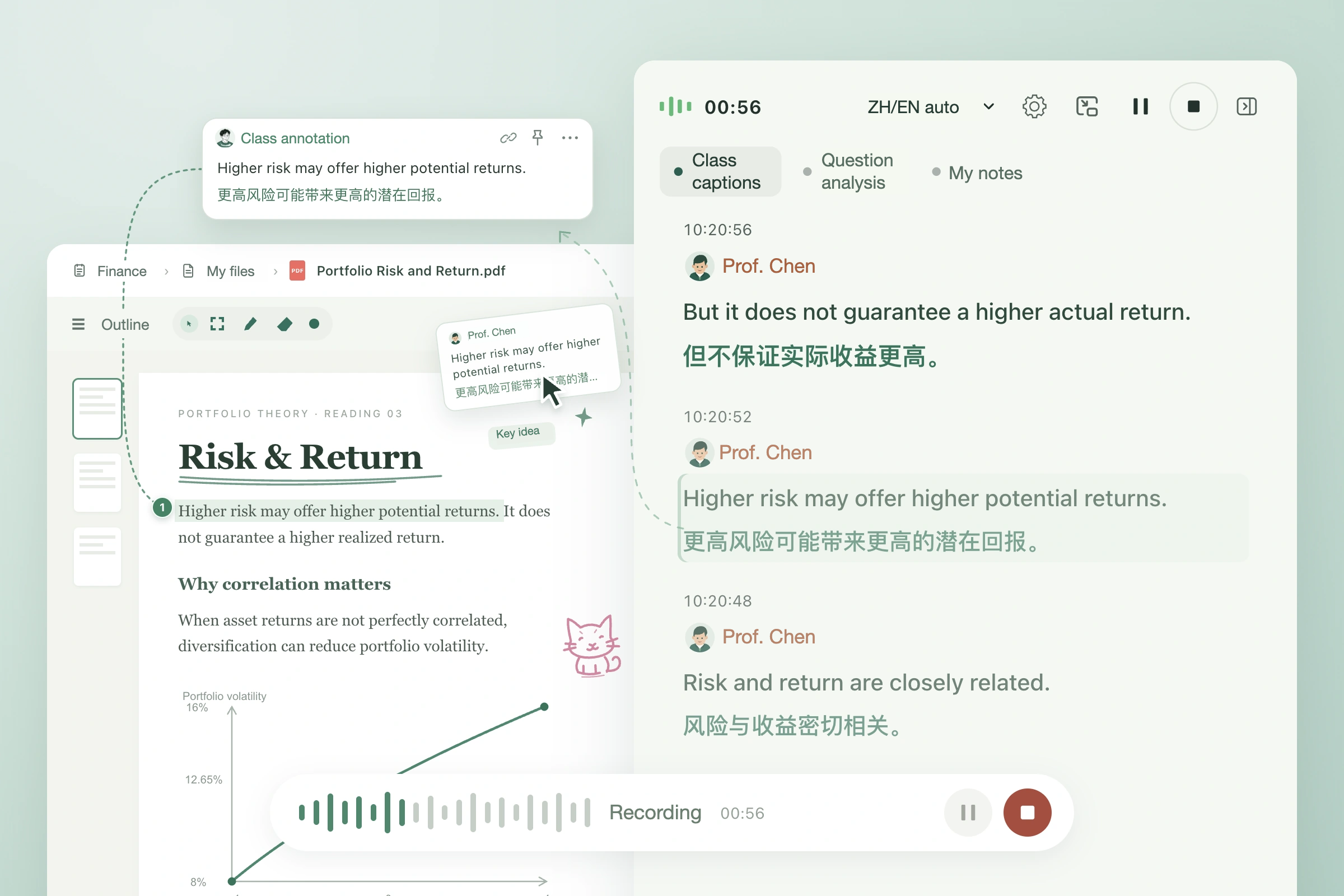
Live translated captions
Read the Chinese or English transcript alongside its translation as the lesson unfolds.
Classroom question detection
Enable reminders to identify the lecturer’s questions and work through a possible response.
Lesson insights
Organize key points, tasks and suggested next steps from the lesson, with links to their sources.
AI Q&A
Ask Sylli about a concept in the current lesson, or request an explanation or example.
Smart Notes
Create editable study notes from your courseware and classroom materials.
Lesson minutes
Review the lesson’s topics, key points and unresolved questions after class.
Smart courseware outline
Expand available sections and select an outline entry to jump to its page.
Flashcard review
Turn study material into question-and-answer cards, flip them to review and track your progress.
Mind maps
Organize courseware and lesson content into an editable knowledge map with expandable branches.
When something is unclear,
ask Sylli.
Select a formula, figure or passage in your courseware and ask Sylli about it.
Follow up on the lecturer’s explanation and pick up the thread of the lesson.

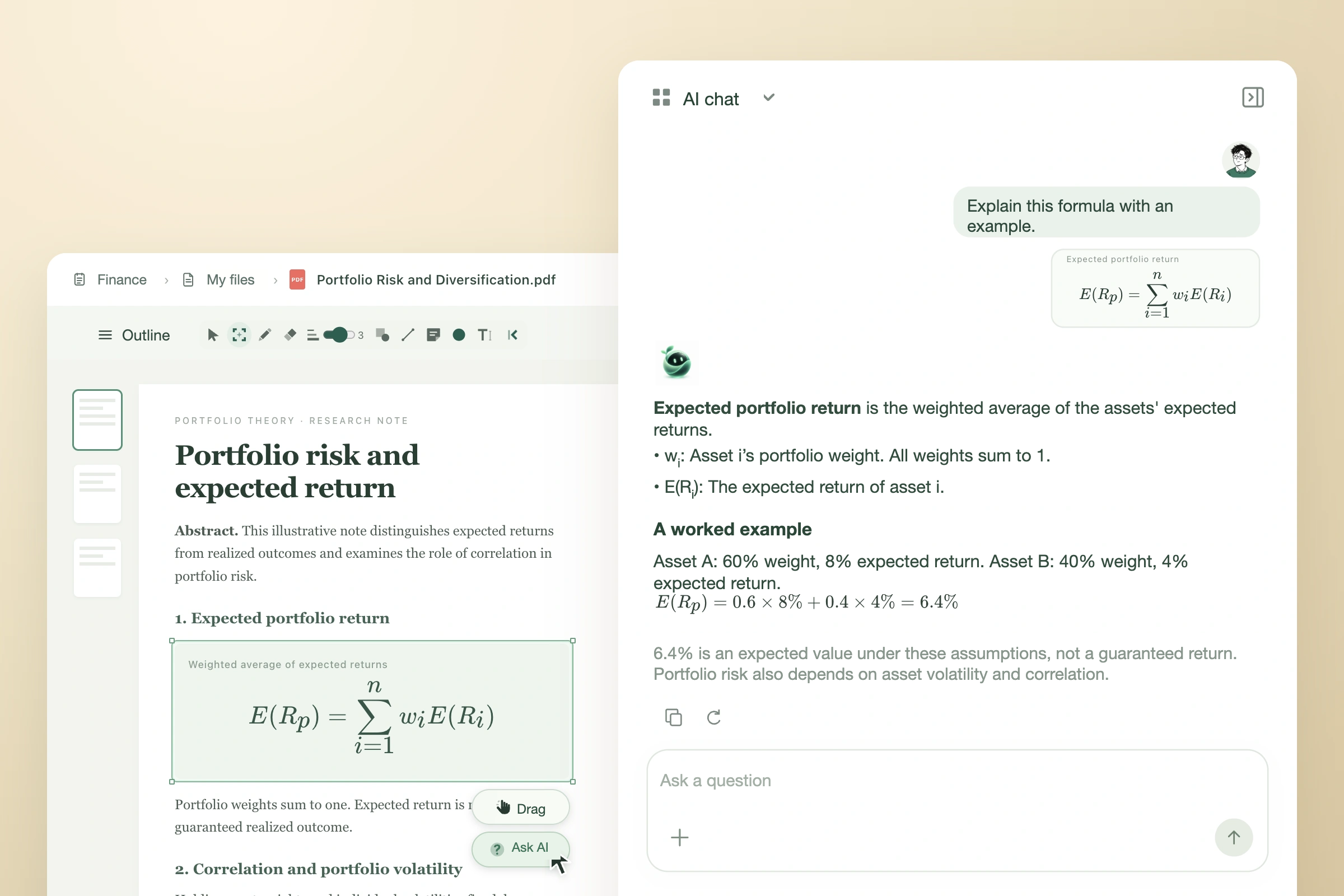
Ask AI about a selection
Select a formula, figure or passage so Sylli can explain it in context.
Ask about what the lecturer said
If an explanation is unclear, use the question button beside the caption to explore it further.
Catch up after losing the thread
Ask where the lecturer left off and continue with the help of the recorded lesson content.
Ask with classroom context
Ask about the current lesson and materials to keep explanations relevant to what you are studying.
Explore formulas and examples
Ask Sylli to break down a technical concept and give a calculation or practical example.
Follow up or try another explanation
Follow up on an answer, ask for a shorter explanation or try a different approach.
Turn what you read
into understanding of your own.
Keep papers, courseware and study notes in one reading space.
Select content, drag it into notes or ask AI, then put your ideas into your own words.

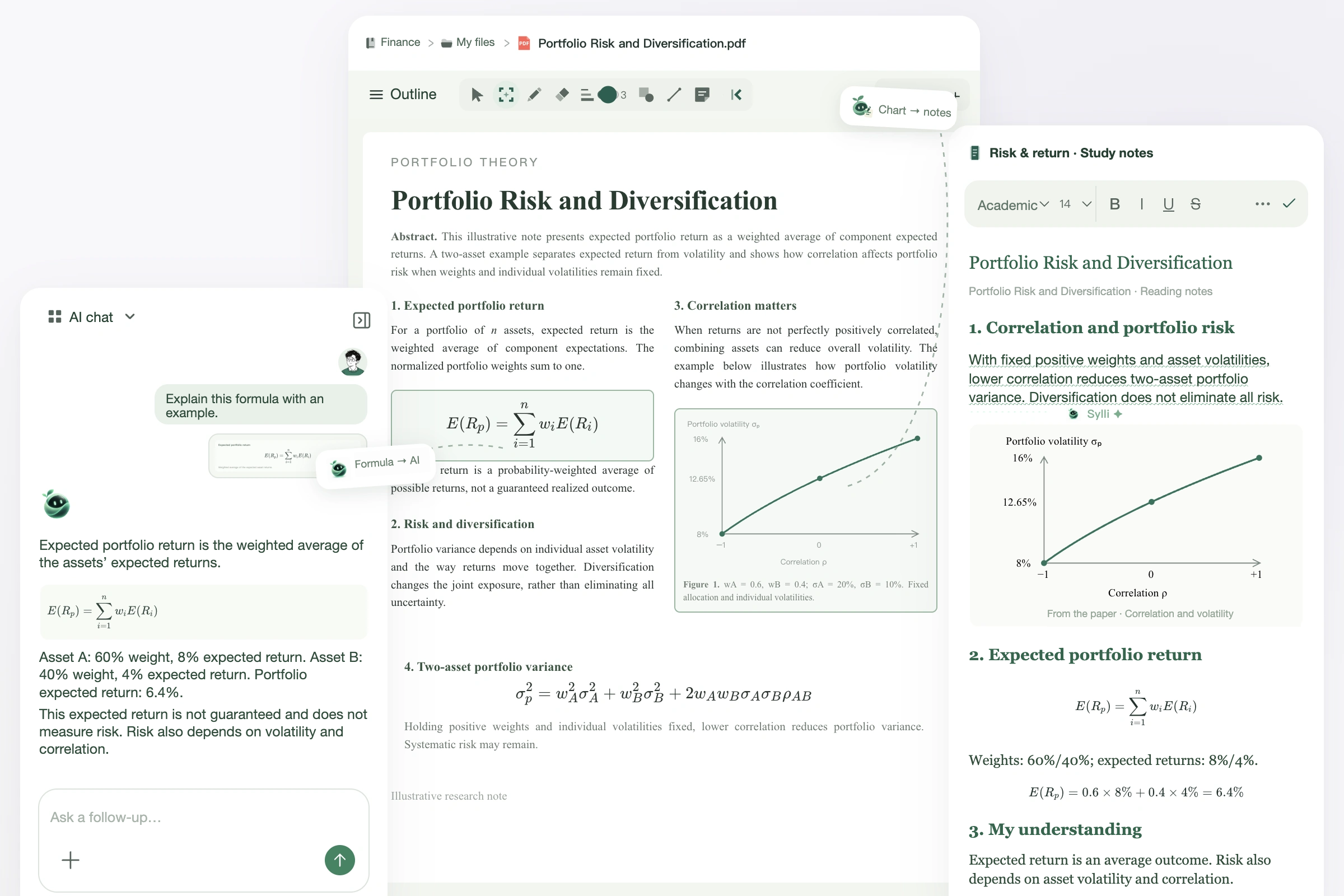
Drag figures into notes
Drag a selected figure or passage from a paper into your notes to keep it close at hand.
Drag a selection to AI
Drag a screenshot of your selection into the AI input, add your question and send it.
Create notes from courseware
Create editable notes from readable courseware and study materials.
Rewrite selected text
Select a passage in your notes and ask Sylli to help rewrite and clarify it.
Two-pane and three-pane layouts
Combine courseware, notes and study tools in a layout that suits your reading task.
Switch between study tools
Move between AI chat, other materials, mind maps and flashcards.
Read multiple file formats
Open PDF, PPTX and Word files in the same reading space and refer to related material.
Draw and annotate on the page
Use pen strokes, highlights, lines and annotation cards to add your understanding to the original page.
Format academic notes
Use headings, lists, images and formulas to make your study notes easy to follow.