A term can mean different things in different subjects. Tell Sylli which material you are reading, what the teacher said, and where you are stuck. This usually leads to a more relevant explanation than entering a word alone. Using class context is how the existing AI Q&A works; there is no separate switch to enable.
Watch the walkthrough
This video is currently unavailable. Open video in a new window
Prepare usable sources
Make the question verifiable
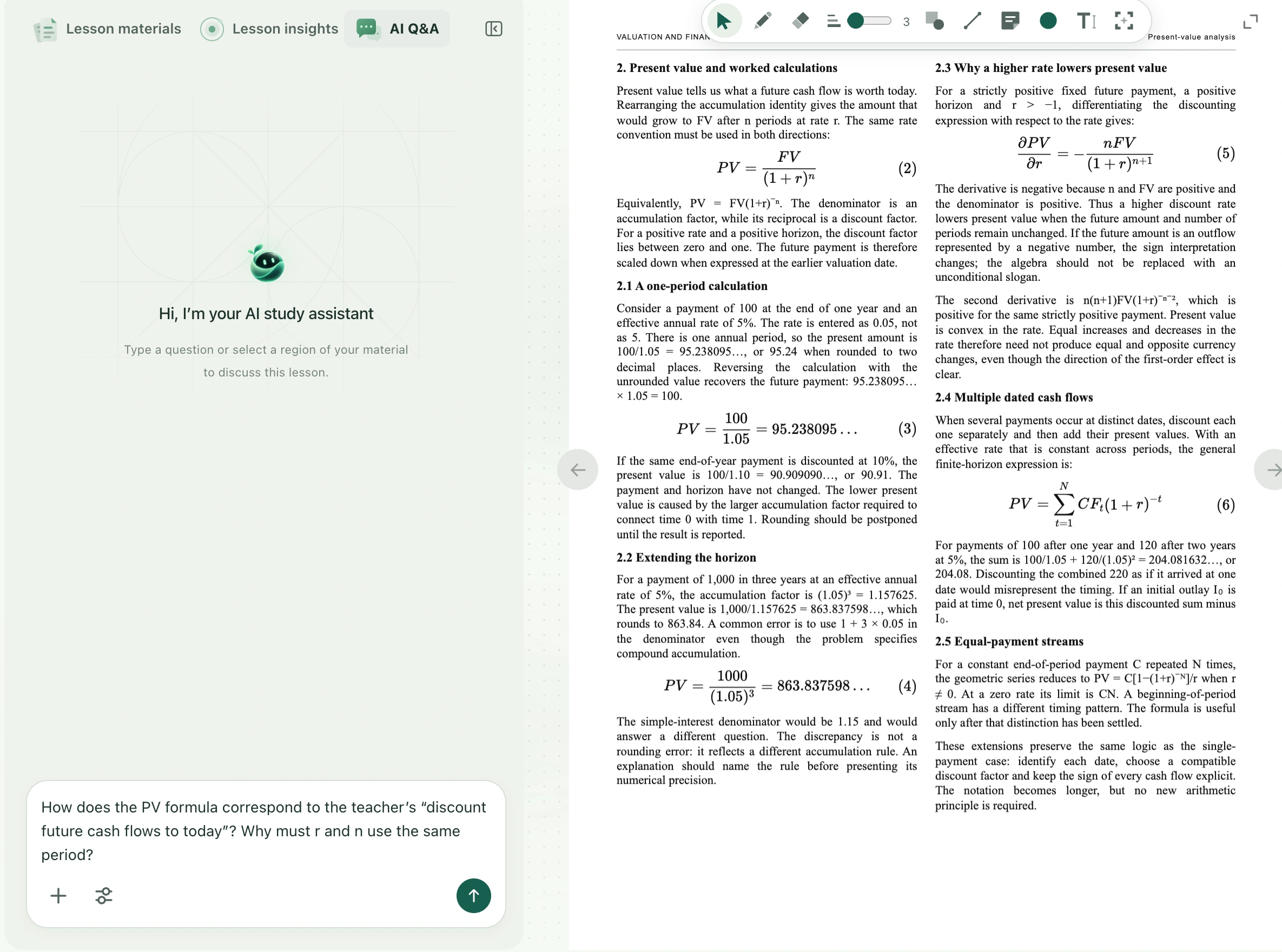
- Switch to AI Q&A on the left and find Ask a question. Open the courseware page you want to discuss so that your question and the available source align as closely as possible.
- Name the object and difficulty, for example: “The current courseware defines expected return as a weighted average, but the teacher just said actual returns are not guaranteed. How can both statements be true?”
- Quote the important original words if the question depends on a particular sentence. Select the full area if it depends on axes, table headings, or formula conditions. Avoid “this” or “there” when the page contains several possible objects.
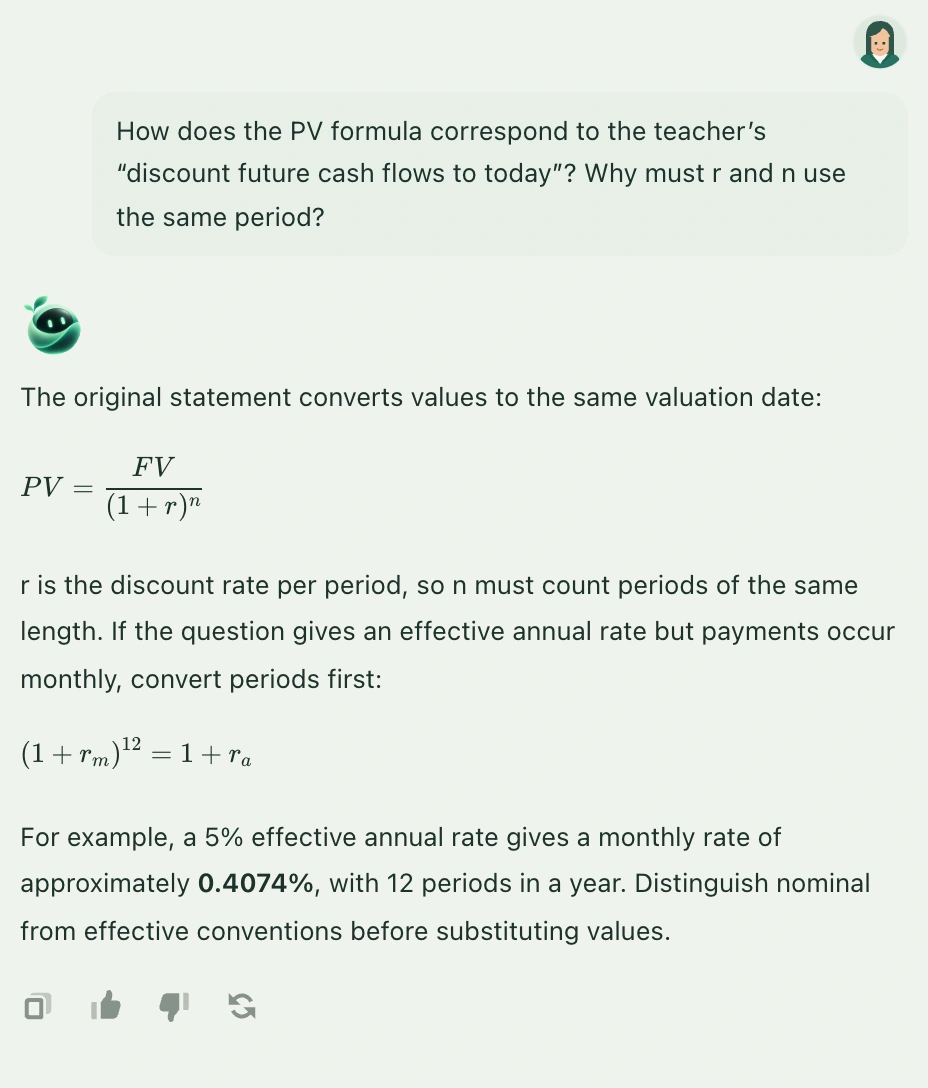
- Send and wait for the full answer. Check that it uses your conditions, and distinguish conclusions stated in the material from added explanation. If the basis is unclear, ask which passage in the supplied content supports the explanation.
- To compare another file, open it and state its name, page, or content again. Switching files alone does not explain your comparison goal to AI.
Where the answer is kept
AI responses appear in the current class conversation and do not rewrite courseware, captions, or existing notes. Follow-ups can refer to recent completed exchanges in the current context, but this is not unlimited class memory. For long-term review, use Copy reply, organize the conclusion in your notes, and check saving. Classroom text Q&A may clear after a refresh or a change of class or account.