After briefly losing focus, ask Sylli to organize the recent thread using captions and courseware available in the current class. This can help you decide where to resume listening. It is a way of asking a question, rather than a separate catch-up button. The system can only answer from recorded, readable content and cannot recover speech that was not captured.
Watch the walkthrough
This video is currently unavailable. Open video in a new window
Check the class record first
Sign in and open the class you are studying. Check that Class captions is still updating and that the recent original words are complete. If recording has just started, the connection was interrupted, or speech has not finalized, wait for readable captions. You can also ask about an older class, but replace “just now” with a specific topic, quote, or page so that an old record is not mistaken for live progress.
Recover the main thread
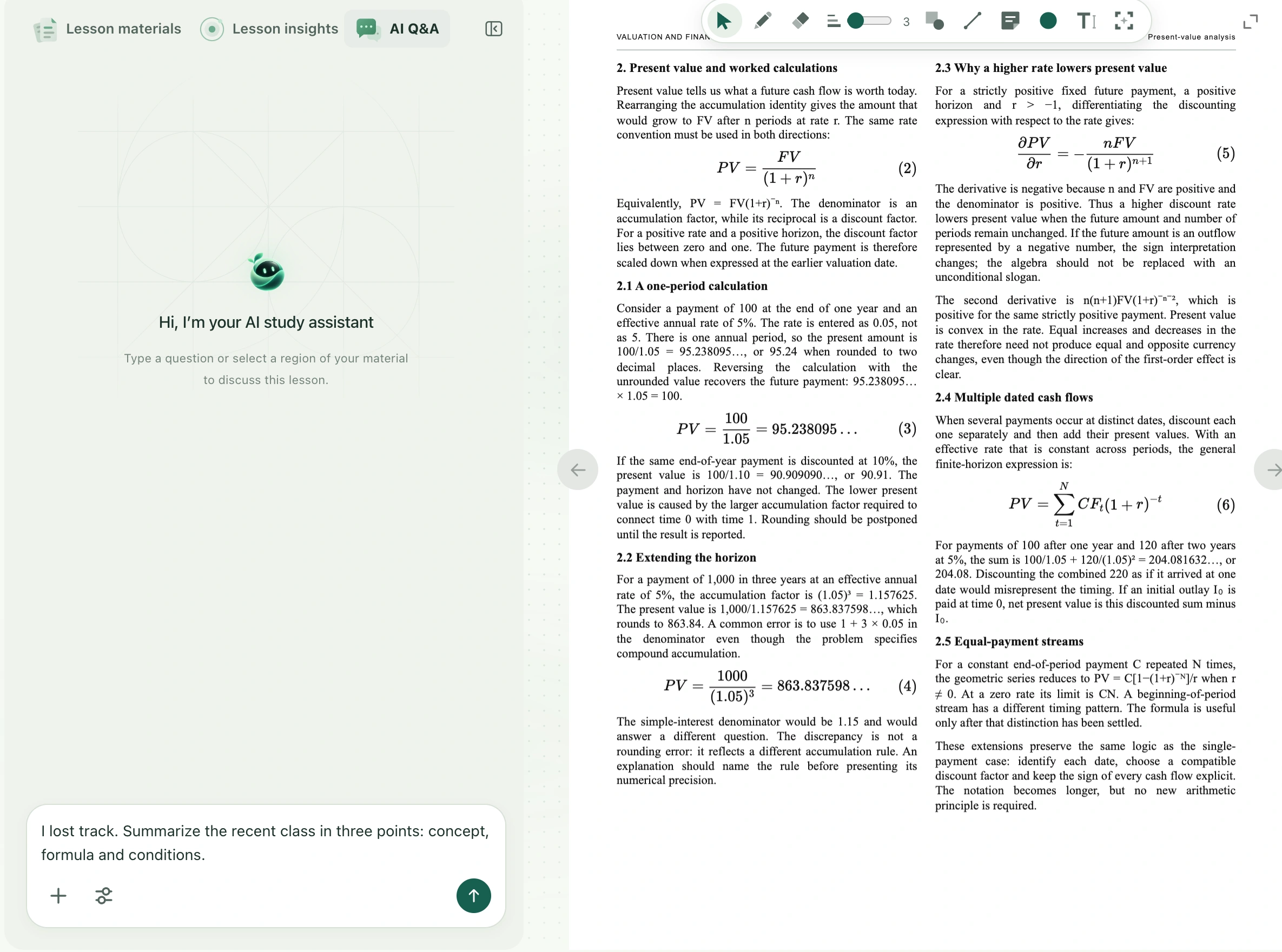
- Switch to AI Q&A above the class materials. If you see the Sylli question entry below the central area, expand it to find Ask a question.
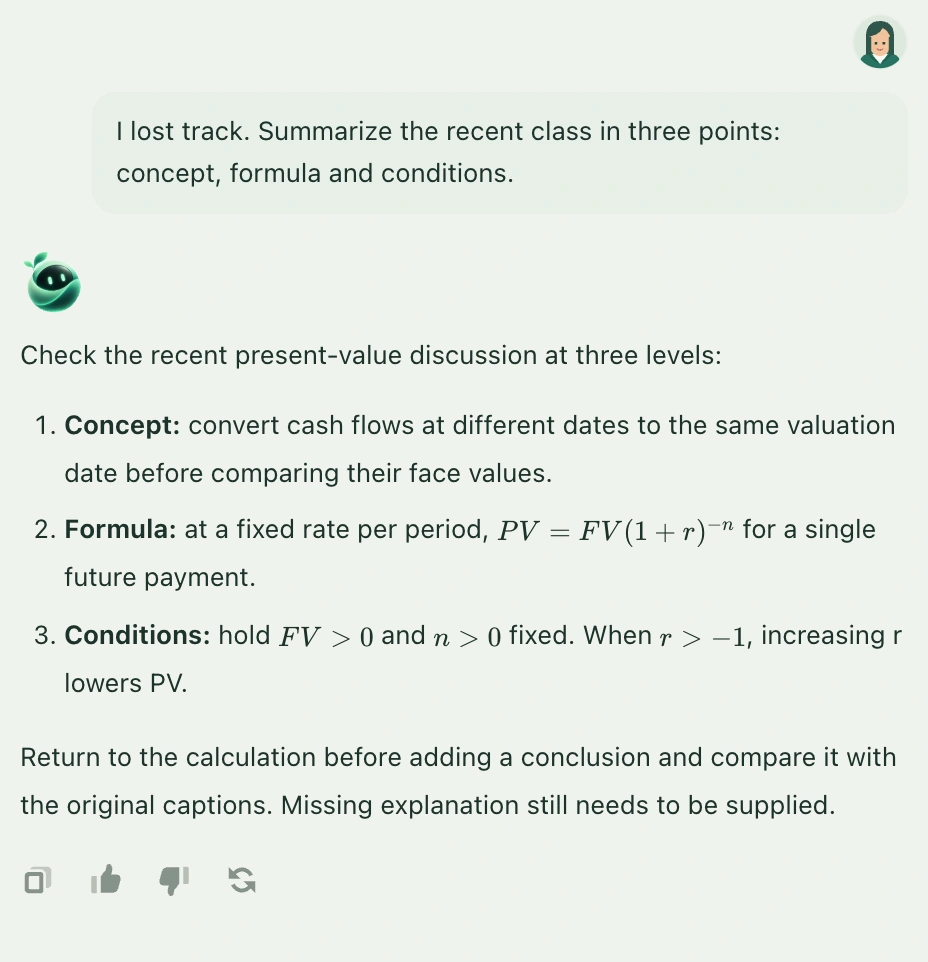
- Ask a clearly bounded question, such as “I lost track. Using the recent class content, explain what the teacher is discussing in three points, then tell me which concept to look at first.” Select the send arrow.
- Wait for the complete answer. Check that it identifies the recent topic, key conclusions, and missing information. Do not treat an inferred transition as something the teacher actually said.
- Return to Class captions, find the words or sentences mentioned, and read their surrounding context. If the recap is too broad, quote a specific caption and ask how it connects to the preceding explanation.
- Keep one unresolved concept as a follow-up when you return to listening. Working through one break in understanding at a time is easier than repeatedly asking for the whole class again.
Results and saving
The answer appears in the current class’s AI Q&A and can be followed up. This does not change playback position, edit captions, or automatically create lesson minutes. To keep the three points for review, use Copy reply, paste them into your notes, and add their class topic. Classroom text conversations are not saved as permanent cloud notes; keep the content you need before refreshing or changing class.