The lecturer has moved to the next slide, and you are still working out the last sentence. By the time you finish writing down a formula, you have missed why it works. After class, the recording, screenshots and notes are all there, but it is hard to reconnect the ideas as they unfolded.
Syllink is designed around moments like these. We want listening, reading, note-taking and review to share one learning space, so understanding can continue beyond the lecture.
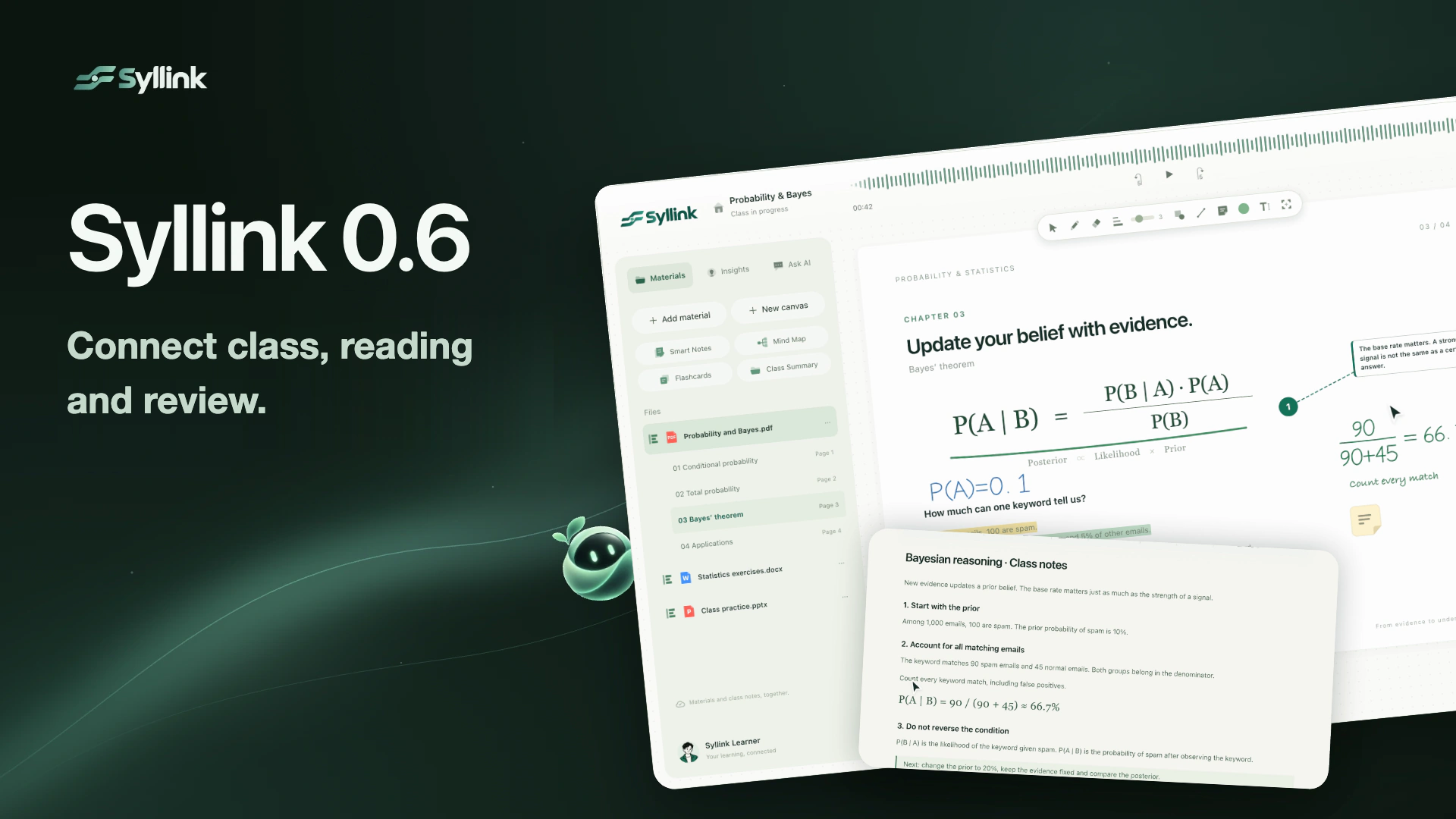
Today, we are introducing Syllink 0.6. From live bilingual captions and annotations to questions about the material in front of you, Smart Notes, mind maps and flashcards, it helps you turn classroom information into study materials you can keep using.
This video is currently unavailable. Open video in a new window
01 Keep up as the class unfolds
In an English-taught class, understanding a concept often means processing the language and the subject at the same time. Syllink places the original transcript and translation beside your materials, updating them as the class continues. You can check what the lecturer actually said and use a familiar language to confirm its meaning.
The live channel supports translation in both directions between Chinese and English. You can change speaker names and avatars to make different voices easier to identify in the class record. When you open question analysis or your notes, floating captions let you keep an eye on the ongoing explanation.
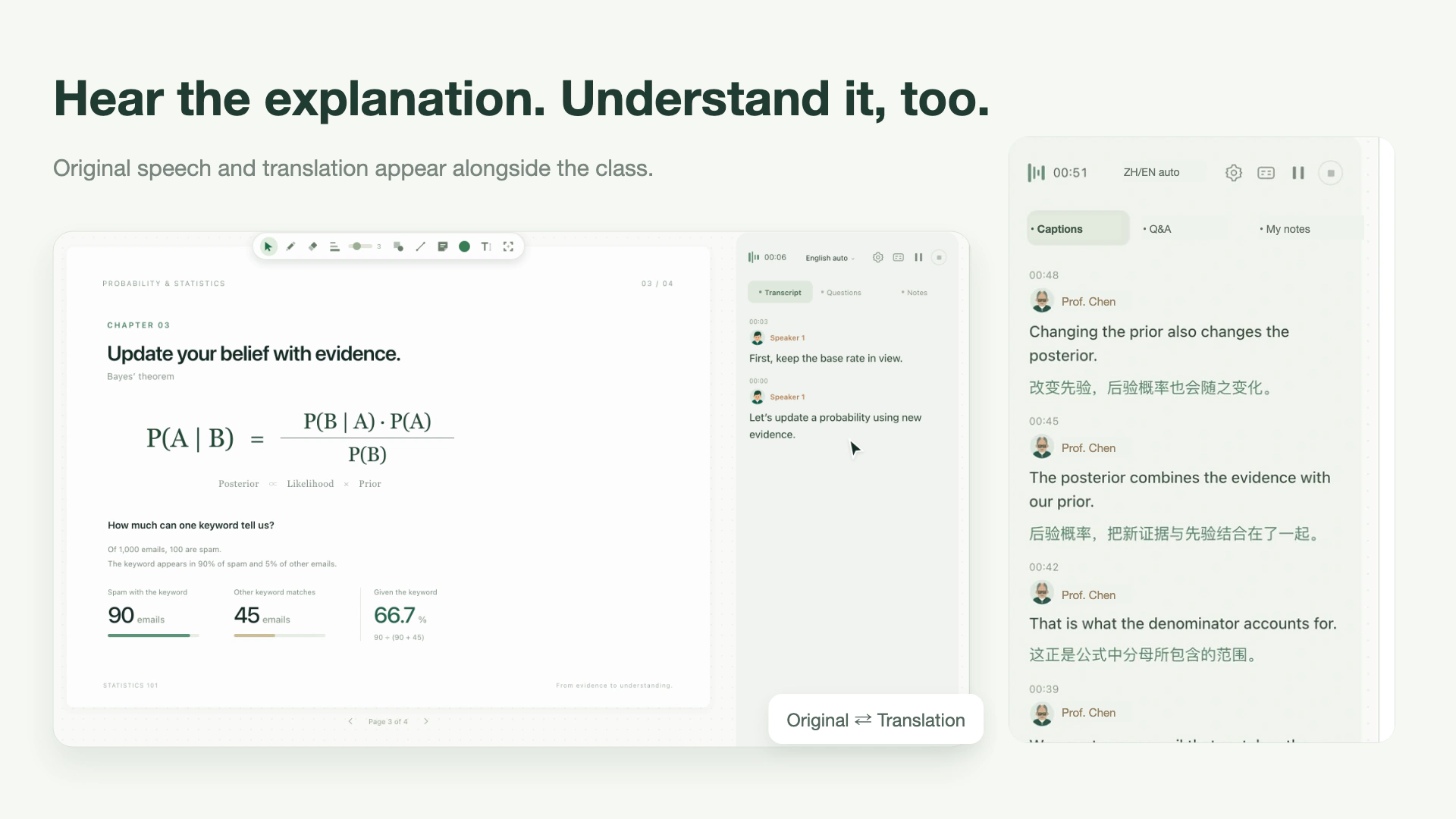
This gives captions a practical role: look back at a phrase you did not catch, compare a technical concept with the original, then return your attention to the class.
02 Read, understand and annotate the page
Class materials may be a PDF, a slide deck or a Word document. Once you bring them into Syllink, you can switch between files, use available outlines to find a section, and keep reading notes beside the source.
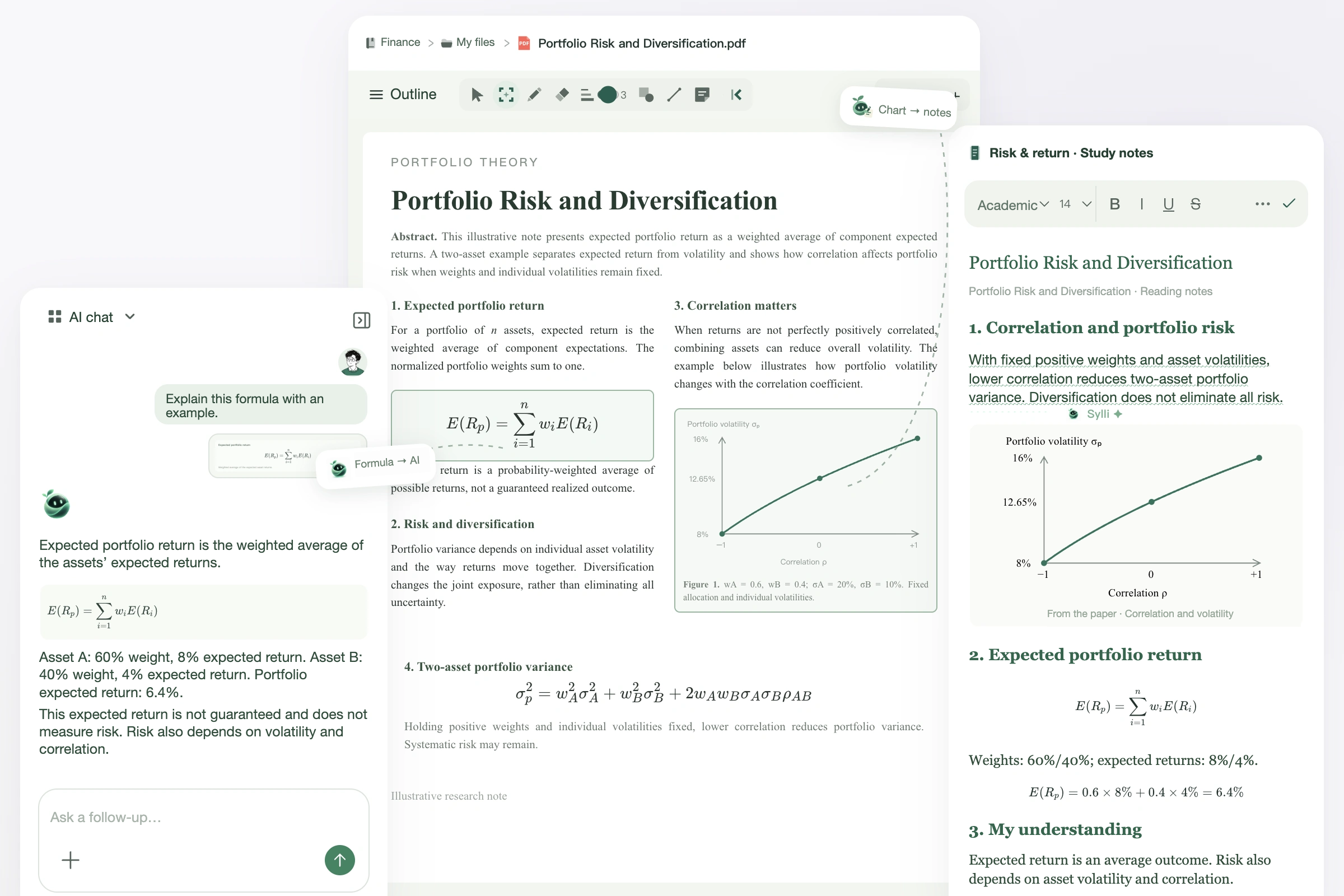
Sometimes understanding comes from writing it out yourself. Add a derivation with colored pens, highlight an important passage, or leave a sticky note with your own question. Saved annotations stay with their page, giving you a way back into the material when you reopen it.
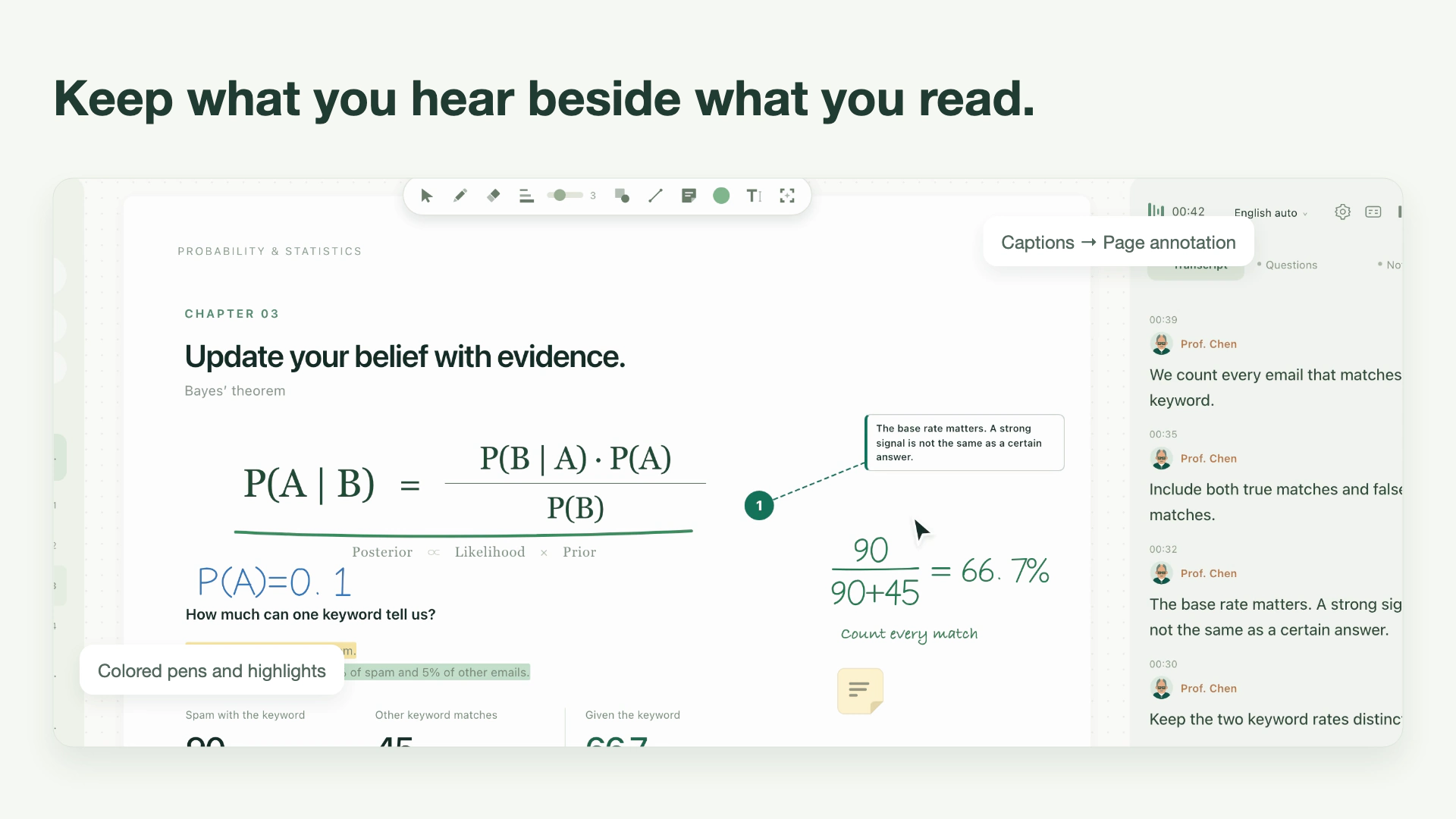
If an explanation is worth keeping, you can drag that caption onto the page. When you return, the formula, your annotations and the lecturer’s explanation can appear together.
03 Ask about what is in front of you
What does the denominator mean? Why does the chart change this way? In Syllink, you can select a region of your materials and ask Sylli about it, then continue the conversation in the question field.
For example, a class on Bayes’ theorem distinguishes between “90 correctly flagged emails” and “45 falsely flagged emails.” Select the formula and ask Sylli why the denominator includes both groups, then check the explanation against the source.
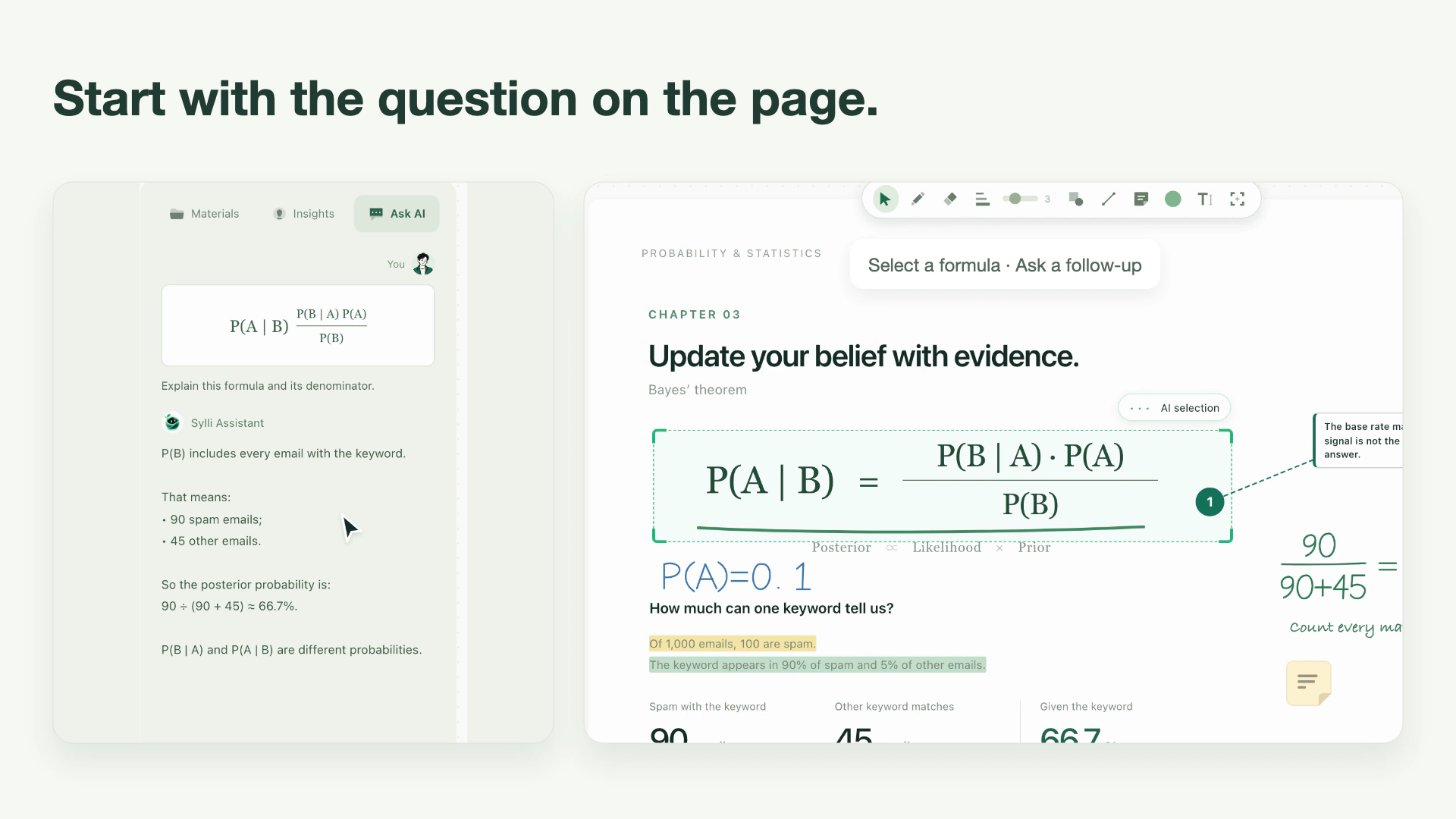
If your attention drifts for a moment, you can ask, “Where is the lecturer up to?” Sylli uses the available class record and relevant materials to help you pick up the discussion. When the lecturer asks a question, you can choose to generate an answer approach and an editable answer draft. Classroom insights organize important questions, tasks and possible next steps.
04 Make organization the start of review
Learning does not end when class does. What matters is keeping the relationships between concepts, the questions you still have, and a place to continue next time.
Smart Notes: start with a structure, then add your understanding
Request Smart Notes from the content Syllink can actually read in the current class. They organize scattered information into a structured set of notes. You can then revise the wording, add explanations and highlight the passages that matter most.
Mind maps: explore how concepts connect
You can also generate a mind map from the available class content. Zoom into branches, collapse secondary details and edit nodes directly, shaping the structure around your understanding of the class.
This video is currently unavailable. Open video in a new window
Flashcards: move from rereading to active recall
Turn class materials into question-and-answer flashcards. Try to answer before flipping the card to check. You can edit cards, favorite material you want to practice again, and continue with different review modes. Knowledge that was scattered across your materials now has a place for repeated practice.
This video is currently unavailable. Open video in a new window
Let every class become more than something you heard.
We want Syllink to help you keep a continuous thread through learning. A lecture explanation can lead back to the page you are reading. A question on that page can become a conversation or a note. What you organize can then feed into your next review.
You can try Syllink 0.6 in your browser. The next time you prepare for class or sit down to read, bring a set of materials and start with a question you want to understand.
For step-by-step instructions, read the user guide or see the product updates.